Close Out Your Campaign's Field Data Before It Archives
A week-after-Election-Day checklist for campaign managers: export the field record, check its counts, store it under your source terms, and keep the team for the next race.
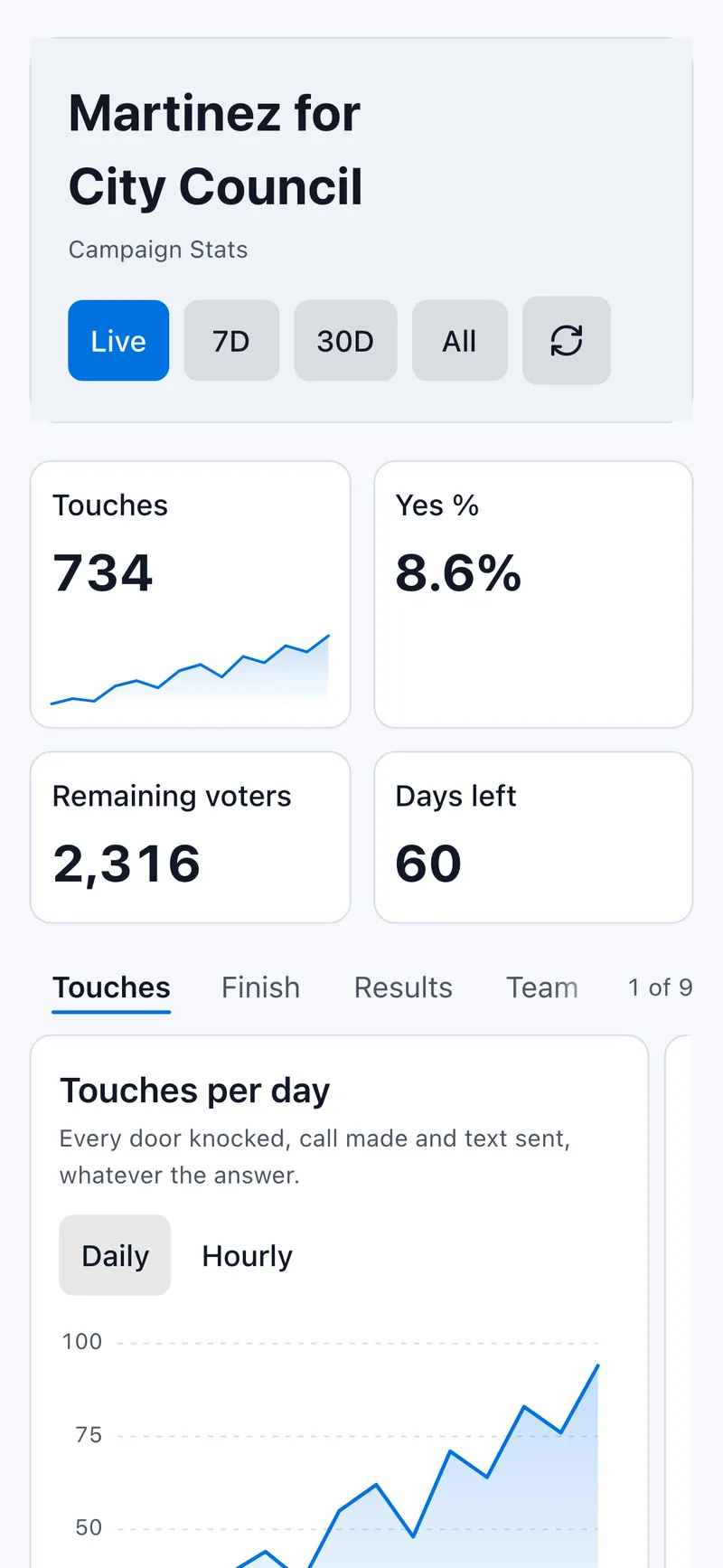
The last shift is over, the signs are coming down, and the field record your team built over the campaign is still sitting in the app. That record answers questions you will be asked for months: how many doors the team reached, which streets never got a second pass, who showed up every Saturday. It is worth one careful afternoon before it goes.
This checklist is for the week after Election Day. It takes about 2 hours for a typical local campaign, and most of that is checking numbers.
Know the date your campaign archives
In Activate, a campaign is archived once its end date is more than seven days past, followed by a 30-day restore window before permanent deletion. After deletion nothing in it can be recovered: the list, the responses, the notes and the dashboard all go together.
For a campaign whose end date was Nov 3, the archive runs overnight at the end of Nov 10, and permanent deletion follows about 30 days later, around Dec 10.
Diagram source
flowchart LR
    A[Election Day<br/>Nov 3] --> B[7 days pass]
    B --> C[Archived<br/>night of Nov 10]
    C --> D[30 days to restore]
    D e1@--> E[Permanently deleted<br/>about Dec 10]
    e1@{ animation: slow }
If you need more time than that, move the end date forward in the campaign's Settings before it passes. If the campaign has already archived, restore it from your campaign list, then move the end date so the overnight run does not archive it again while you work.
One more rule protects the record: finish the export before anyone presses Archive in Settings. The confirmation on that button lists what is removed at once, and the dashboard history is part of it.
Export the full record first, then check it
Everything else on this list works from the export, so do it first. A campaign manager can export the campaign's data as CSV for your own records and the next round of visits. Each row is one person on your list, with the response your team recorded and any notes.
Open the file and check 4 counts before you trust it
| Rows | Rows in the CSV, minus the header | Compare with the list size you imported |
| Responses | Rows with Yes, No, Not Home or Skip | Doors your team worked at least once |
| Never worked | Rows with no response | Streets the campaign never reached |
| Notes | Rows with a note | Follow-ups that may still be owed |
The first check is the one that catches problems. If you imported 4,000 records and the export holds 3,950, find the 50 before the campaign archives, while you can still look at the campaign itself. The usual causes are rows the importer skipped for having no name, address, phone or email, and a second list that was never uploaded.
Then compare the response counts with what your dashboard showed on Election Day. They should agree. When they differ, write down which number you are keeping and why, because someone will ask in 2027 and nobody will remember.
Write the 1-page field summary while the team still remembers
A CSV is a record. A summary is what you will actually read before the next race. Keep it to 1 page:
- Totals. List size, doors worked at least once, conversations, and the share of the list never reached.
- Coverage by area. Which precincts or wards got 2 or more passes, and which got 1 or none. Sort the export by precinct if your file carries one.
- Pace. Volunteer shifts per week, and doors per shift from your own records. Your own rate is the only one that predicts your next campaign.
- What slowed the team down. Pull the 3 complaints that came up in every end-of-shift debrief: a building nobody could get into, a turf that always ran long, a script line that confused people.
Date it and put your name on it. If you used a pace number during the race, record it next to the result. The Numbers That Matter Before Election Day covers which ones are worth carrying forward.
Store the export like the voter data it is
The export is a plain spreadsheet on your computer. Inside the app, your voter list stays private: encrypted at rest, and we never sell or share it. Once it is a CSV on your laptop, it is protected by whatever protects your laptop.
Four rules keep it safe
- Keep one copy, in one place you control. An encrypted folder or a drive that needs your sign-in. Delete the copies in your downloads folder and in email attachments.
- Name one person who holds it. Usually the manager or the candidate. Volunteers do not need the full file after the race.
- Read your source terms. If the list came from your state or county voter file, the terms you accepted may limit what it can be used for and who may hold it. Those terms still apply after the election.
- Write down where it is. One line in the field summary: file name, location, holder. A file nobody can find is as lost as a deleted one.
Keep the volunteer roster for the next race
Your volunteers are the part of this campaign that is hardest to rebuild. The list of who showed up, how often, and what they were good at is worth more to a 2027 race than any count in the export.
Before the campaign archives, copy your team into your own spreadsheet: name, email or phone, the shifts each person worked, and one line on what they did well. Mark the people who led a pair, trained a new canvasser or ran a staging site. Those are your first calls next time.
Then ask. In your thank-you message, tell people you are keeping a list for future races and invite them to say if they would rather not be on it. A volunteer who helped once agreed to this campaign, and a quick question keeps the next one on good terms.
Send the thank-yous this week
Thank-you notes land best within a week of the election, which is also the week the campaign archives. Use the roster you just built:
- Every volunteer, with one specific sentence: the street they finished, the shift they covered on short notice.
- Anyone who hosted a staging site, lent a car or fed the team.
- Your leads, by phone, with a direct ask about the next race.
Keep these notes to the people who worked on the campaign. A resident who answered Yes at the door gave an answer to one question, and that answer is not permission to add them to a mailing list.
The close-out checklist
Print this, or copy it into your own task list, and work it top to bottom:
- Find your campaign's end date and the archive date 7 days later.
- Move the end date forward in Settings if you need more time.
- Export the CSV.
- Check rows, responses, never-worked and notes against what you expect.
- Explain any mismatch in writing.
- Write the 1-page field summary.
- Store one copy of the export, name its holder, and delete stray copies.
- Copy the volunteer roster into your own sheet.
- Send the thank-yous.
- Leave the Archive button alone until steps 3 to 8 are done.
The next race starts from this file
When the next campaign starts, the field summary tells you how many shifts to plan, the roster tells you whom to call, and the export, where your source terms allow it, shows which streets need the most attention. Each account includes 5,000 usable bring-your-own-list records every 12 months, however many files they arrive in; records beyond that use Credits, quoted in the app before you confirm. If your next race is already on the calendar, start the new campaign now and invite the people on your roster before the winter sets in.
Ready to start canvassing?
Set up your campaign and start canvassing in minutes. No credit card required. Activate. Toward Victory!
Start Free Campaign