The First 30 Minutes: Launch a Canvass Without Losing Volunteers to Setup
A minute-by-minute field launch that gets volunteers oriented, practiced, connected, and ready for one honest conversation—without letting setup consume the shift.
Updated September 20, 2026
The volunteer arrives ready to help.
They found parking. They brought comfortable shoes. They may be nervous, but they are here—and that is no small thing.
Then the campaign spends twenty minutes looking for a clipboard, resetting a password, explaining three different spreadsheets, and trying to determine who has the latest walk list.
By the time the volunteer reaches the first door, the most energetic part of the morning has already been spent on administration.
A good canvass launch does not require a long meeting. It requires a short sequence in which every minute has a job. The purpose of the first half hour is not to teach everything about campaigning. It is to make each volunteer safe, oriented, practiced, connected, and ready for one honest conversation.
Here is a practical 30-minute launch you can adapt for a school-board race, city-council campaign, ballot measure, or neighborhood organizing effort.
Before the clock starts
The 30-minute model assumes the campaign has done its homework before volunteers arrive. At minimum:
- the campaign knows the purpose of the shift;
- the target list or turf is ready;
- one person is responsible for launching the group;
- the opening script and response definitions have been approved;
- safety expectations are written down;
- campaign literature is counted and accessible; and
- the field tool is ready to accept volunteers and distribute assignments.
If the voter universe still needs to be selected or imported, resolve that first. “Launch in 30 minutes” should describe volunteer onboarding—not pretend data preparation takes no time.
Minutes 0–5: Give the shift a purpose
Begin on time, even if two people are still finding the room.
The field lead should answer four questions
- Why are we canvassing today?
- Whom are we trying to reach?
- What do we hope to learn or accomplish?
- When and where does the shift end?
Keep the explanation concrete. “We are knocking this neighborhood because many residents have not yet heard about the upcoming school-board election” is more useful than “We are here to build momentum.”
Tell volunteers what a successful shift looks like without turning the day into a door-count contest. Success may include:
- completing the assigned turf accurately;
- having respectful conversations;
- identifying questions that need follow-up;
- recording outcomes consistently; and
- helping every volunteer finish more confident than they began.
The campaign should sound organized before the volunteer is asked to represent it.
Minutes 5–12: Model one complete conversation
Do not begin by reading a script aloud in a committee voice. Demonstrate a real door interaction.
One experienced person plays the canvasser. Another plays a resident who is polite but busy. The demonstration should include:
- a clear introduction;
- the reason for the visit;
- one genuine question;
- a brief, accurate response;
- a respectful close; and
- the correct way to record what happened.
Then demonstrate a second ending: the resident asks something the canvasser cannot answer.
The right response is not improvisation. It is something like
“I don’t want to guess. May I have the campaign follow up with an accurate answer?”
That sentence protects trust. A campaign does not need every volunteer to be a walking policy encyclopedia. It needs volunteers who can listen, tell the truth, and create a reliable next step.
Minutes 12–18: Define the outcomes and the safety line
Real-time data is only useful when volunteers mean the same thing by the labels they choose.
Define each response in plain language. For example
- Support: The resident clearly expressed support in response to the campaign’s defined question.
- Oppose: The resident clearly expressed opposition. A rushed or busy resident is not automatically opposed.
- Undecided: A conversation occurred, but the resident did not express a clear position.
- Not home: No meaningful contact occurred.
- Refused: Someone answered and declined the conversation.
- Follow up: The resident requested information or another campaign action.
- Skip: The assignment could not be completed for a defined reason, such as unsafe access or an invalid address.
Use the labels available in your campaign and define them before the first door. Never force uncertainty into a false yes or no merely because a button is available.
Then state the safety rules without euphemism
- obey posted property instructions;
- do not enter a residence;
- leave immediately when asked;
- do not argue;
- do not photograph voter information;
- use pairs or another campaign-approved safety practice where appropriate;
- pause work in unsafe weather or conditions; and
- contact the field lead when something feels wrong.
No door is more important than a volunteer’s safety or a resident’s boundaries.
Minutes 18–23: Connect the team without an app-store detour
This is where campaigns often surrender the room to software.
With Activate, the field lead can display one campaign QR code or share a link. Volunteers scan, join, and begin on their own smartphones without searching an app store. The campaign can bring unlimited canvassers into the same operation.
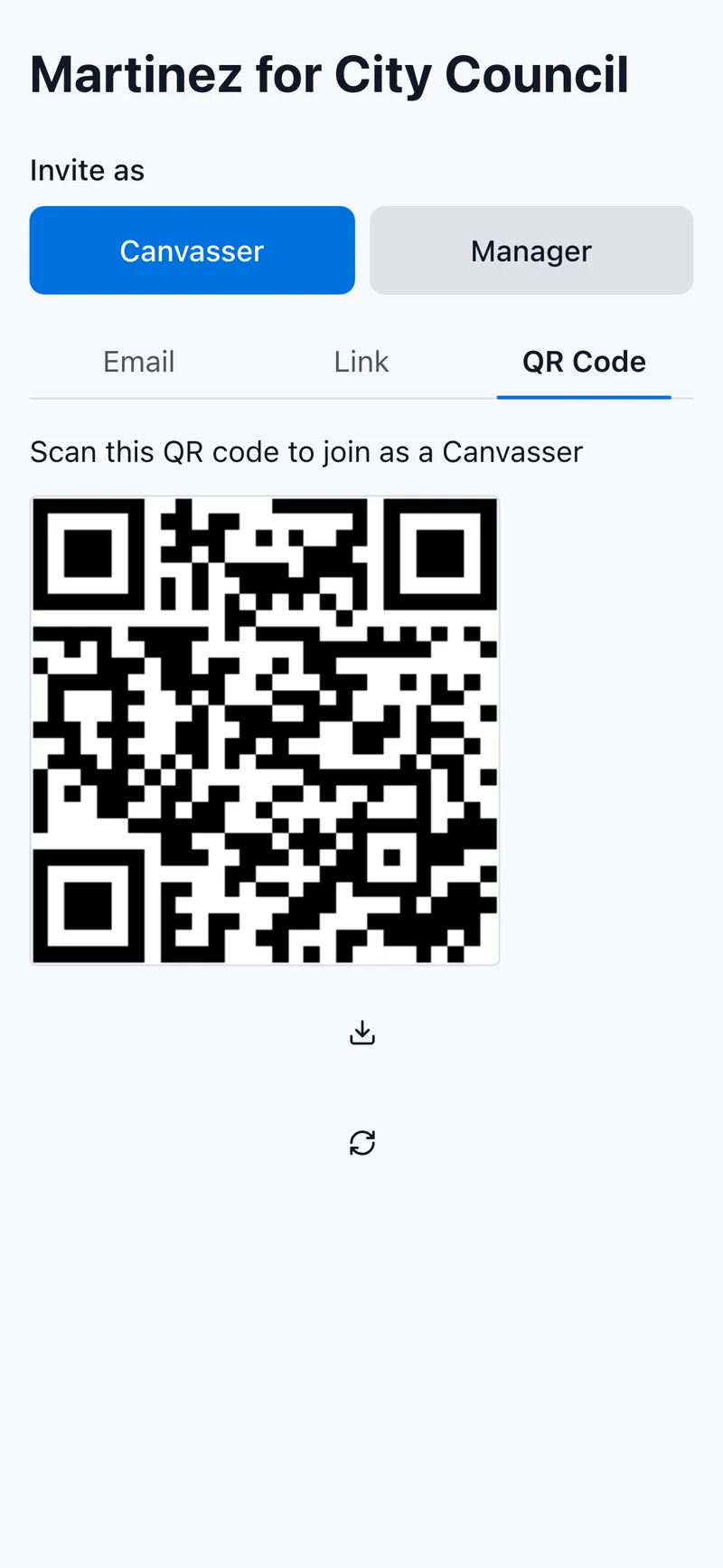
Give everyone two minutes to join. Ask them to keep the campaign screen open. Then perform one test:
- Assign a sample or training record.
- Have a volunteer record the agreed training outcome.
- Confirm that the field lead can see the result.
One clean test is more valuable than a five-minute speech about synchronization.
If a volunteer needs help, assign one person to help them while the rest of the group continues. Do not make every ready volunteer watch a single password problem.
Minutes 23–27: Practice once in pairs
Pair volunteers. Each person gets ninety seconds as the canvasser and ninety seconds as the resident.
The resident should choose one of three simple scenarios
- interested but unfamiliar with the race;
- busy and willing to take literature; or
- asking a question the canvasser cannot answer.
The canvasser’s job is to introduce, ask, listen, respond honestly, and close. It is not to win an argument in ninety seconds.
At the end, each partner gives one piece of feedback
-
- What sounded natural?
-
- Where did the script become a speech?
-
- Was the next step clear?
Practice should lower anxiety, not produce a public ranking of new volunteers.
Minutes 27–30: Assign, confirm, and launch
The field lead now confirms
- who is working together;
- where each person begins;
- how assignments appear;
- where the group returns;
- who handles questions and follow-up; and
- when the first manager check will occur.
Activate’s smart distribution can help allocate voter assignments while reducing double-knocks and missed streets. Its live dashboard lets the manager watch completion and response activity as results arrive.
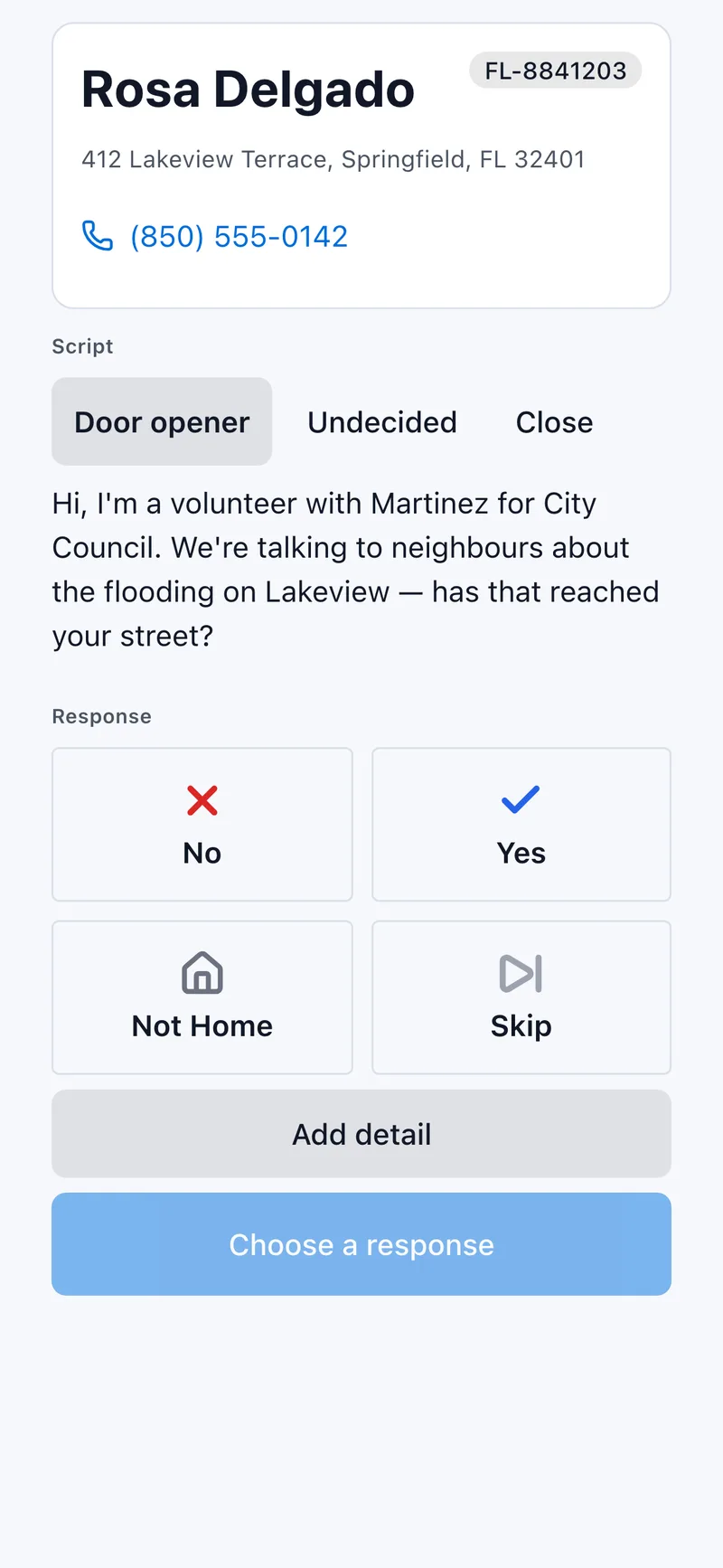
That visibility should be used to support volunteers, not hover over them. After the first fifteen or twenty minutes, look for someone who has not begun, a route that appears blocked, or a response category being used inconsistently. A quick supportive call can rescue a shift while there is still time.
Then send the team out.
The launch card
Put this version on one page
| 0–5 | Purpose | Everyone knows why, whom, what, and when |
| 5–12 | Model | Volunteers see one complete, truthful interaction |
| 12–18 | Standards | Outcomes and safety rules have shared meanings |
| 18–23 | Connect | Everyone joins and one result reaches the dashboard |
| 23–27 | Practice | Each volunteer rehearses once and receives feedback |
| 27–30 | Assign | Partners, turf, support contact, and return time are clear |
Print it. Put one person in charge of the clock. Improve it after each launch.
What to review after the shift
Ask four questions before everyone leaves
- Where did onboarding slow down?
- Which outcome was hardest to classify?
- What voter question needs an accurate campaign response?
- What should take less time at the next launch?
The campaign will not perfect onboarding in one morning. It can become more respectful of volunteer time every morning.
That is the standard: not a launch with zero questions, but a launch in which questions have owners, software gets out of the way, and volunteers reach the first conversation while their willingness to help is still fresh.
For the larger field system surrounding the launch, read The Door Is Not the Goal.
If your campaign is preparing its next volunteer shift, start a free campaign with Activate. Build the campaign, invite the whole team by QR code or link, and use the 30-minute launch card to get the work moving.
Toward Victory!
Ready to start canvassing?
Set up your campaign and start canvassing in minutes. No credit card required. Activate. Toward Victory!
Start Free Campaign